By Tomáš Pařízek, HealthExport developer Updated
To export Apple Health data to a CSV file, install the HealthExport app on your iPhone, grant it read access to the health data types you need, pick a date range and aggregation, and share the resulting CSV via AirDrop, email, or iMessage. The CSV opens directly in Excel, Google Sheets, and Apple Numbers, and works well as input for AI tools like ChatGPT or Claude.
One-time iPhone app purchase. No Remote subscription needed for in-app CSV exports.
Apple's built-in export provides your health history in XML format, rather than CSV. Spreadsheet analysis may require import, transformation, or conversion — see the comparison below.
Step-by-step
Install HealthExport
Install HealthExport from the App Store (one-time purchase).
Grant health access
On first launch, allow read access for the data types you want to export. You can change this later in the Health app: open your profile, find Apps or Apps and Services, and select HealthExport. Labels can vary by iOS version.
Select data types
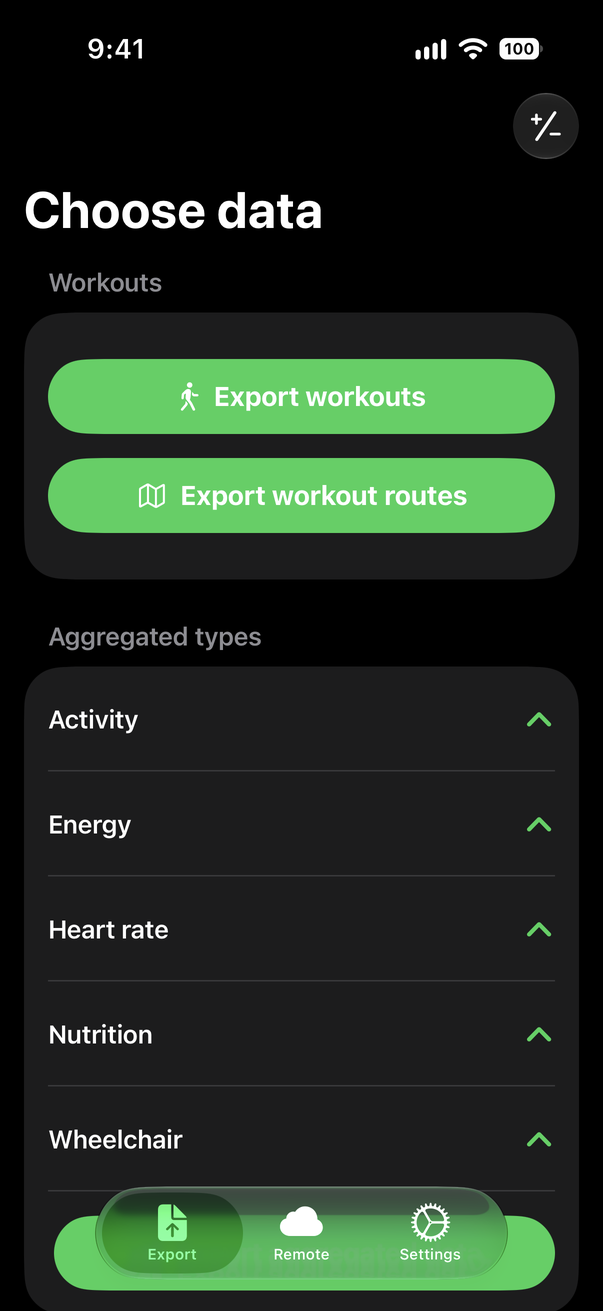
Choose from 100+ types: aggregated types (steps, active energy, exercise time…), record-based types (weight, blood pressure, raw heart rate, sleep stages…), and workouts. Tip: select only the types you actually need — the CSV stays focused instead of sparse.
Select dates and aggregation
Pick a date range, and for aggregated types choose the period: minutes, hours, days, months, or years.
Export and share
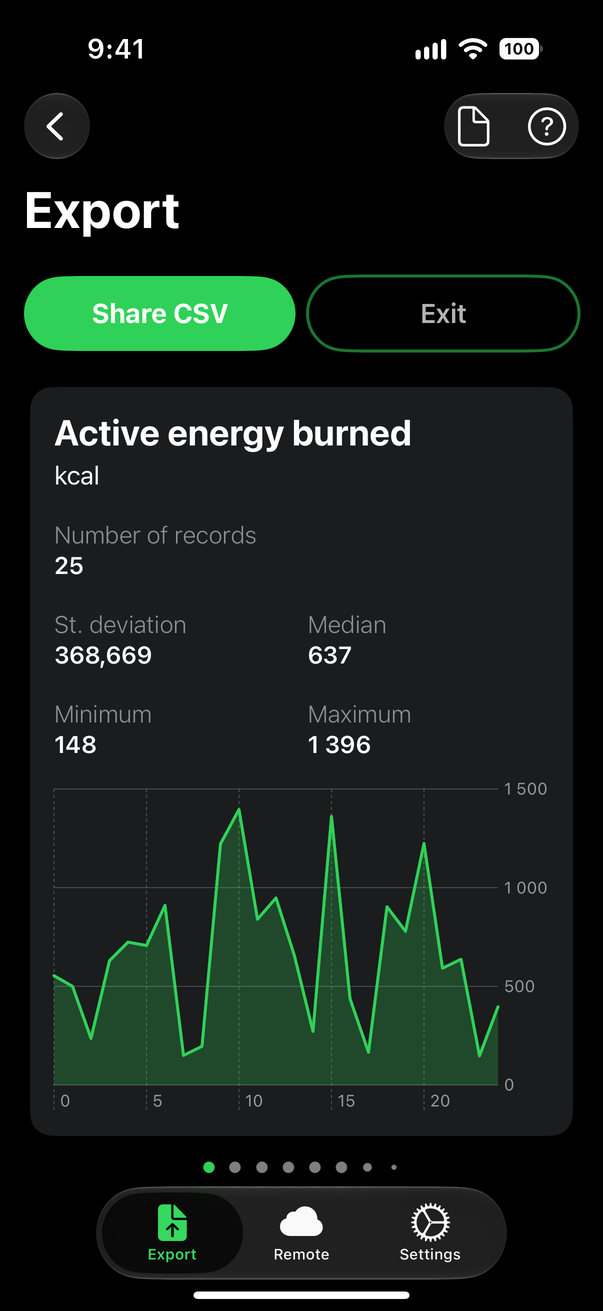
Generate the CSV and share it via AirDrop, email, iMessage, or the Files app. Workout routes are exported as GPX files.
Example export files
Dates in rows, health data in columns. Here are three columns and the first four rows from the daily example CSV.
cumulative_days.csvDaily aggregation
On smaller screens, scroll the table horizontally to see every column.
| Date | Active energy burned(kcal) | Step count(count) |
|---|---|---|
| 2020-12-01 | 369.971 | 3614.014 |
| 2020-12-02 | 363.018 | 3631.000 |
| 2020-12-03 | 611.073 | 5898.000 |
| 2020-12-04 | 790.588 | 9312.000 |
Column names include units. Aggregated exports summarize a period; record-based exports contain individual readings. Your columns depend on the types you select.
HealthExport CSV vs. Apple's built-in XML export
The Health app can export your data itself (profile picture → Export All Health Data), but the result is very different:
On smaller screens, scroll the table horizontally to compare both options.
| Feature | Apple's built-in export | HealthExport |
|---|---|---|
| Format | ZIP archive containing XML (export.xml) | CSV (workout routes as GPX) |
| Opens in Excel / Google Sheets | Requires XML import, transformation, or conversion, depending on your spreadsheet app | Yes, directly |
| Scope | Always the entire health history | Only the data types and date range you select |
| File size | Often hundreds of MB after years of use | Select types and dates to reduce size; long raw-record exports can still be large |
| Aggregation | None — raw records only | Minutes, hours, days, months, years, or raw records |
| Automation | Manual only | Apple Shortcuts, or background sync with HealthExport Remote (CLI, MCP & API; separate subscription) |
Shortcuts exports may fail when iOS restricts Health data access while the phone is locked. See the automation details.
Analyzing the export with AI tools
A CSV export can be attached directly to a conversation with ChatGPT, Claude, or similar tools for analysis. Uploading a CSV shares that data with your chosen AI service.
For repeat questions, HealthExport’s Apple Watch and Apple Health MCP lets compatible AI assistants query your latest synced records through read-only tools. Hosted MCP decrypts requested records in server memory after your consent and sends results to your AI service. The open-source CLI also works with Claude Code, Codex, and scripts, with decryption on your own machine. Remote stores health records encrypted. See the privacy details for each workflow.
Common questions
Start with HealthExport on your iPhone
Choose your data, set your dates, and share your CSV.

One-time app purchase. Remote is optional.
Questions? Email hello@healthexport.app.